はじまり

プロフィールページのREADME.mdをカッコよくしたいやつはいるかあー!?

俺だ俺だ俺だ俺だあー!!
よし、じゃあ、今回は自分が今までに各サービスで投稿した記事をREADME.mdに表示するアプリを作ったときのことを掲載するぜ! 参考にしてみてくれよな!

いくぜっ!!
作ったもの
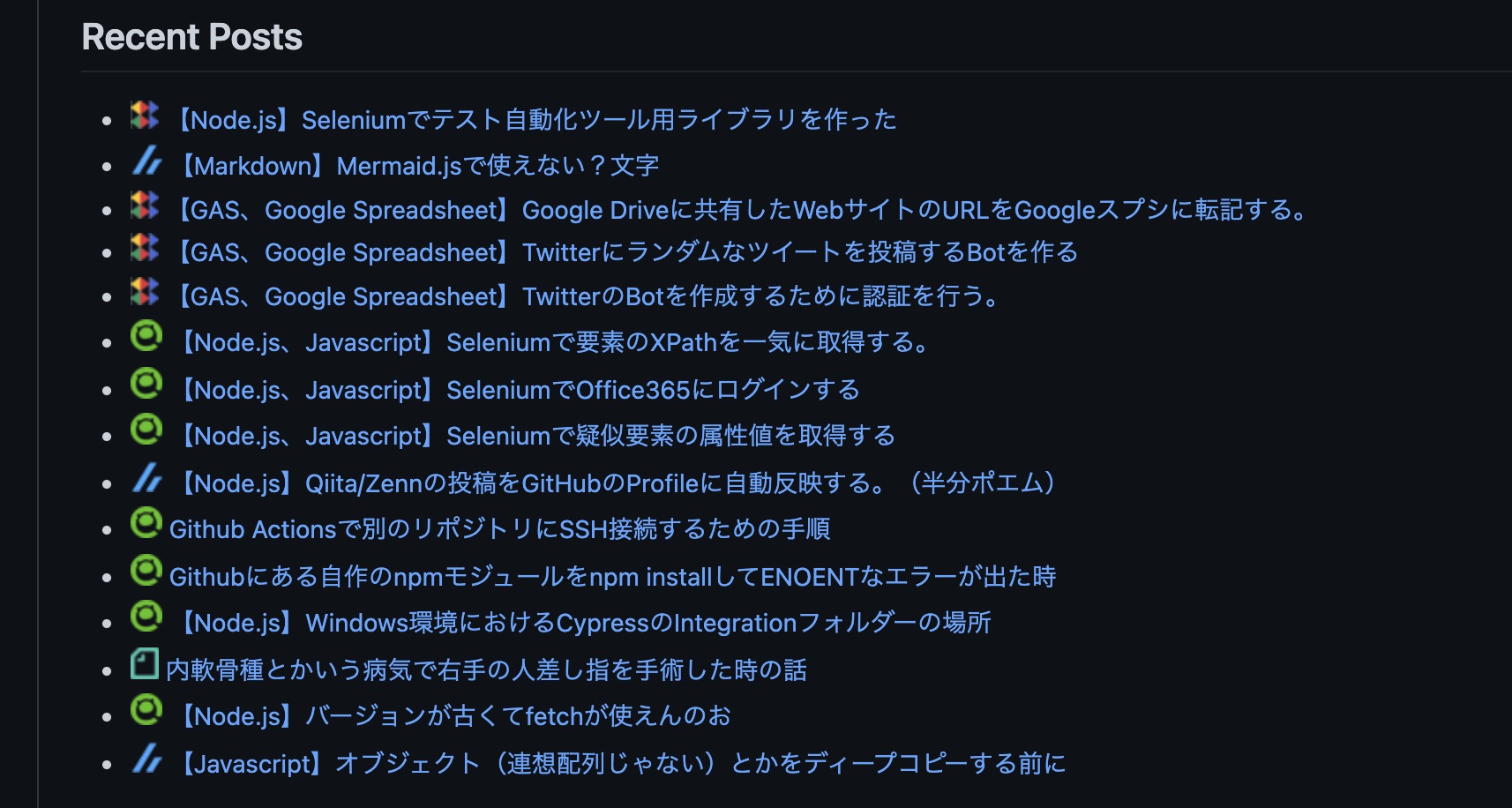
今回、以下のREADME.mdで言うところの赤枠の部分を表示するために色々開発しました。
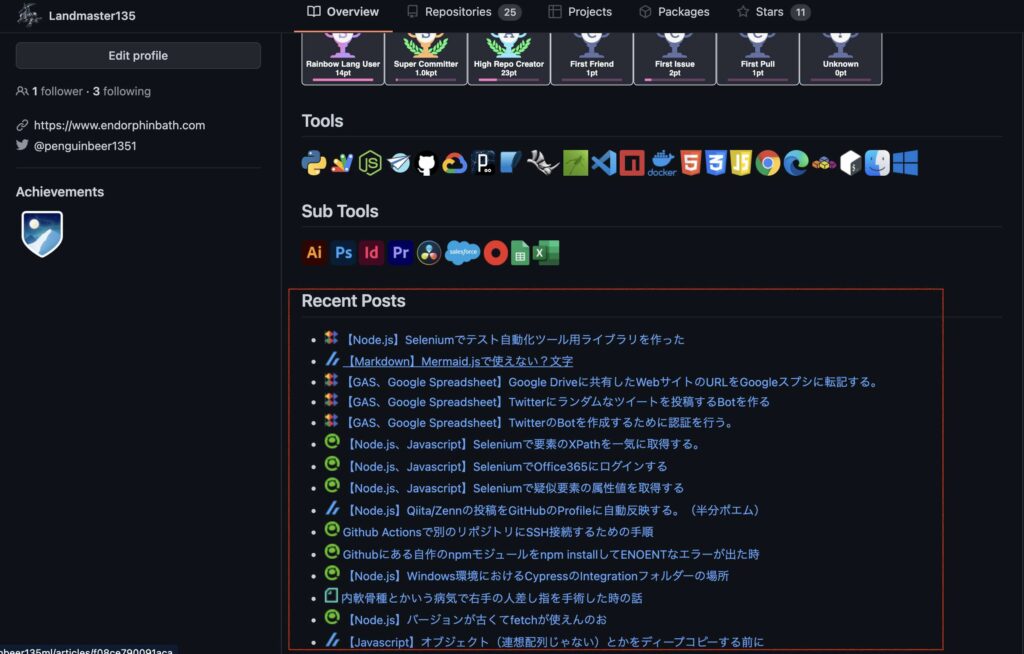
このREADM.mdを更新するアプリを作成するために行ったことは、以下になります。各記事投稿サービスは、Zenn、Qiita、ブログ(WordPress)、noteを対象としています。
- Node.jsにより、各記事投稿サービスのRSS Feedから必要な情報を取得する処理を作る。
- 先程作った処理を、GitHub Actionsとして機能するようにする。
- noteのRSS Feedを取得するために、CORS対応のCloud Functionを作って、noteのEndpointはそのCloud Functionにする。
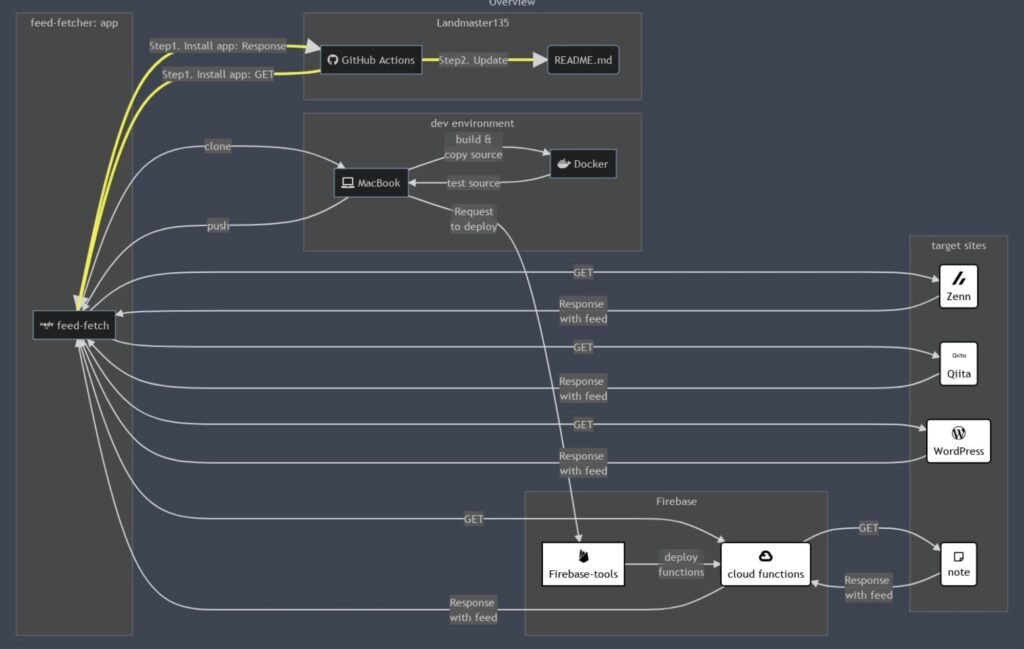
今回作ったアプリの概要図はこちらになります。初めて触るものばかりでしたし、この概要図も初めてmermaid.jsを使って、初めて尽くしの開発でした。
今回作ったアプリのソースは、GitHub上で公開しています。よければ見ていってください。
作成の流れ
1. Node.jsにより、各記事投稿サービスのRSS Feedから必要な情報を取得する処理を作る。
今回の処理は、Node.jsで作りました。メイン処理はこちらになります。
feed-fetch.js
import path from 'path';
import url from 'url';

import { Command } from 'commander';

import * as methods from './lib/lib-methods.js';

try {
  (async() => {
    const commander = new Command();
    commander.option('-c, --config-yaml <type>', 'file name for config with yaml').parse(process.argv);
    console.log(commander);

    const yamlFileName = String(commander._optionValues.configYaml);
    console.log(`feed-fetch.js: yamlFileName is "${yamlFileName}"`);

    const __dirname    = path.dirname(url.fileURLToPath(import.meta.url));
    const configByYaml = methods.loadYamlFile(path.join(__dirname, yamlFileName));
    console.log(configByYaml);

    const number_of_display = configByYaml.displayLimit;
    const feedUrlArray     = configByYaml.feedUrlArray;
    const imgFileNameArray = configByYaml.imgFileNameArray;
    let   listOfLatestFeed = await methods.getLatestFeed(number_of_display, feedUrlArray, imgFileNameArray);
    console.log(listOfLatestFeed);

    const sourceMdFileName = configByYaml.sourceMarkdownFileName;
    const lines = methods.getTextLines(sourceMdFileName);
    console.log(lines);

    const postArea = configByYaml.postArea;
    methods.writeFeedToText(lines, sourceMdFileName, postArea, listOfLatestFeed, feedUrlArray, imgFileNameArray);
    console.log(methods.getTextLines(sourceMdFileName));
  })();
} catch (error) {
  console.error(`Execute Step 1: ${error}`);
}
この処理の流れは、以下になります。
- 引数に貰ったyamlファイルからこの処理に必要なコンフィグ情報を取得する。(
console.log(configByYaml);までの部分) - 最近投稿した記事の一覧をyamlファイルに書いてあった分だけ、取得する。(
console.log(listOfLatestFeed);までの部分です。[title, pubDate, link, imgFileName]を1レコードとして取得。) - yamlファイルで取得した更新対象のファイルの全文を取得する。(
console.log(lines);までの部分) - 更新対象のファイルの投稿部分の表示だけ書き換える。(最後らへん)
そして、コンフィグ情報は以下のファイルの中身です。
そこに記載する配列feedUrlArrayおよびimgFileNameArrayのインデックスの順番は対応している必要があります。この場合だと、README.mdの中に<!--[START POSTS LIST]-->と<!--[END POSTS LIST]-->を記載すると、その間に投稿した記事の情報が更新されます。
configOfFeedFetcher.yml
displayLimit: 15
feedUrlArray:
  - https://zenn.dev/kinkinbeer135ml/feed
  - https://qiita.com/Landmaster135/feed.atom
  - https://www.endorphinbath.com/feed
  - https://us-central1-projectbeer15-37257.cloudfunctions.net/api/all
imgFileNameArray:
  - img/zenn.png
  - img/qiita.png
  - img/endorphinbath.png
  - img/note.png
sourceMarkdownFileName: README.md
postArea:
  start: <!--[START POSTS LIST]-->
  end: <!--[END POSTS LIST]-->
noteのエンドポイントに関しては、3.で説明します。
2. 先程作った処理を、GitHub Actionsとして機能するようにする。
1.で作った処理を、GitHub Actionsとして動かすことにしました。
./node_modules/feed-fetcher/bin/runFeedFetch --config-yaml=../../configOfFeedFetcher.ymlの部分で投稿した記事の部分を更新しています。
name: Update README for RSS feed

on:
  workflow_dispatch:
  schedule:
    - cron:  '0 0 * * *'

jobs:
  updateFeed:
    runs-on: ubuntu-latest
    steps:
    - name: apt update
      run: sudo apt update

    - name: Checkout
      uses: actions/checkout@v2

    - name: node set up
      uses: actions/setup-node@v2
      with:
        node-version: '16.13.1'

    - name: Confirm version of node and npm
      run: |
        node -v
        npm -v
    - name: Install feedFetcher
      run: npm install https://github.com/Landmaster135/feed-fetcher

    - name: run feedFetcher
      run: |
        chmod 777 ./node_modules/feed-fetcher/bin/*
        ./node_modules/feed-fetcher/bin/runFeedFetch --config-yaml=../../configOfFeedFetcher.yml
        ./node_modules/feed-fetcher/bin/runImageScale --config-yaml=../../configOfImageScaler.yml

    - name: git setting
      run: |
        git config --local user.email "52403447+Landmaster135@users.noreply.github.com"
        git config --local user.name "Landmaster135"

    - name: git commit
      run: |
        git log -1
        git add README.md
        git diff --cached --quiet || (git commit -m "Update feed snippet" && git push origin main)
./node_modules/feed-fetcher/bin/runImageScale --config-yaml=../../configOfImageScaler.ymlの部分は別の記事で紹介しています。

3. noteのRSS Feedを取得するために、CORS対応のCloud Functionを作って、noteのEndpointはそのCloud Functionにする。
1.で作成したyamlファイルはこの通りになっていますが、noteのURLの部分だけはCloud Functionのエンドポイントになっています。
configOfFeedFetcher.yml
displayLimit: 15
feedUrlArray:
  - https://zenn.dev/kinkinbeer135ml/feed
  - https://qiita.com/Landmaster135/feed.atom
  - https://www.endorphinbath.com/feed
  - https://us-central1-projectbeer15-37257.cloudfunctions.net/api/all
imgFileNameArray:
  - img/zenn.png
  - img/qiita.png
  - img/endorphinbath.png
  - img/note.png
sourceMarkdownFileName: README.md
postArea:
  start: <!--[START POSTS LIST]-->
  end: <!--[END POSTS LIST]-->
なぜCloud Functionを噛ませているかというと、noteのRSSのURL(僕の場合だと、「https://note.com/kinkinbeer135ml/rss」)からRSS Feedを取得しようとすると、弾かれてしまうためです。根本原因はnoteのRSSがCORS対応していないことです。
そのため、noteのRSSとfeed-fetcherアプリの間に、CORS対応の中間アプリを設置する必要がありました。その中間アプリ(Firebaseプロジェクト内のCloud Function)のソースもGitHubで公開しています。

その中間アプリを作る際に、この記事がすごい参考になったので、貼っておきます。


しかし、環境整備の際にディレクトリを意識してnpm installしないとデプロイできない事態になります・・・僕は最後のデプロイにモジュールの参照関係が原因でつまづき、けっこう長い時間ハマりました・・・
(firebase-debug.logをちゃんと見ずに対処していたので、3時間くらいかかりました・・・見ていないで同様に困っている方はちゃんと見ましょう。)
そのため、以下に行った作業を書いておきます。自分の備忘録でもあります。僕はMacで環境を作ったので、再整備の手順も記載しています。(コマンド実行して”Permission Denied”だったら、”sudo”付けてもう一度。)
もしかしたら、Firebase権限で弾かれている可能性もあるため、その場合はこの記事をご参照ください。

おしまい
とまあ、こんな感じだな。
noteのRSSを取るときが手間だったわけだね・・・まさかこんなところでFirebaseを使うことになるとは・・・
うん、でも処理としては簡単なものだったから、Firebaseの基本的な部分を触ることが出来たから、今後はあまり抵抗なく入っていけそうです。
他のサービスに対してもRSS取得ができそうだね。投稿部分がもっとカラフルにできそー。
おまけ
今回作った処理は、最初の頃はQiitaとZennの投稿だけを対象に作っていました。その時の記事はこれ。時間が空いたら、宿題は解消したいですね・・・。

以上になります!


コメント